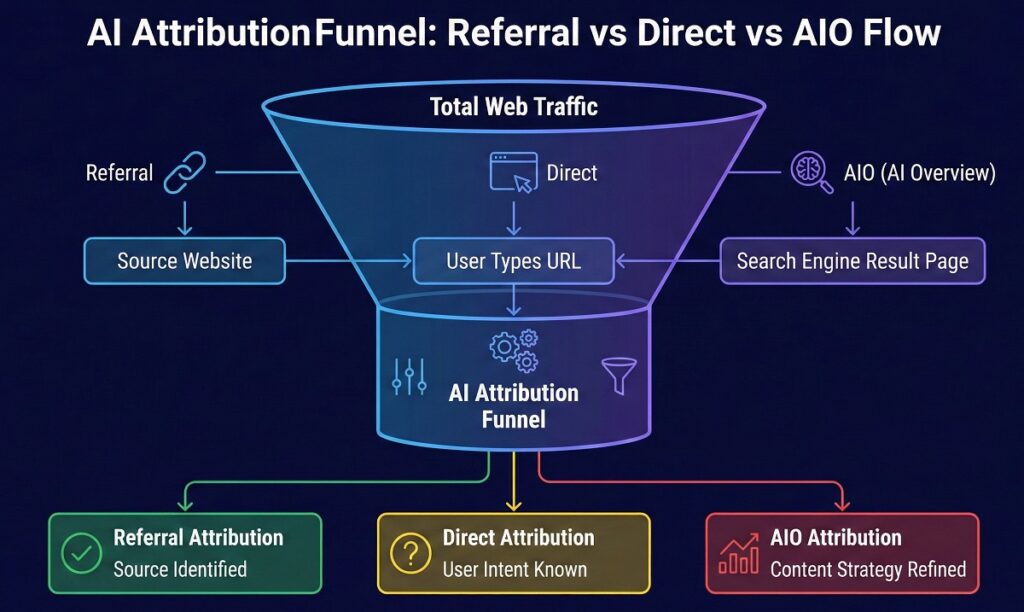
Your organic traffic is flat, but your impressions in Google Search Console are vertical. You are ranking, but the clicks aren’t landing.
It’s the “Impression-Click Paradox.”
Stakeholders want to know why “SEO isn’t working,” but the reality is more complex. Your content is working, it’s just being consumed directly on the SERP (Search Engine Results Page) by Google’s AI Overviews (AIO) or summarized by chatbots like ChatGPT.
We call this “Dark AI Traffic.” It’s the new direct traffic.
Most analytics platforms, including standard GA4 setups, fail to categorize this activity. They lump it into “Direct” or generic “Referral” buckets, leaving you with incomplete data and zero credit for your work.
At khalidseo, we don’t believe in guessing. We believe in engineering visibility.
This guide moves beyond theory. I will show you the exact triangulation methods, using Regex, GTM, and logic to measure the unmeasurable.
The “Ghost” in Your GSC: Inferring AIO Traffic
Before we touch the code, we look for the fingerprint.
AI Overviews don’t trigger a “click” unless the user expands the source citations. However, they do trigger an Impression. This creates a distinct pattern in your data.
The “AIO Signature” looks like this:
- Impressions: Massive spike (often 2x-3x normal).
- CTR (Click-Through Rate): Sharp decline.
- Average Position: 1.0 – 3.0 (You are winning, but not getting the click).
- Query Type: Informational (e.g., “How does…”, “What is…”).
If you see this pattern, you aren’t losing rankings. You are likely powering an AI Overview. The user got their answer from your content without visiting your site.
The Technical Workaround: Tracking “Scroll-to-Text” Fragments
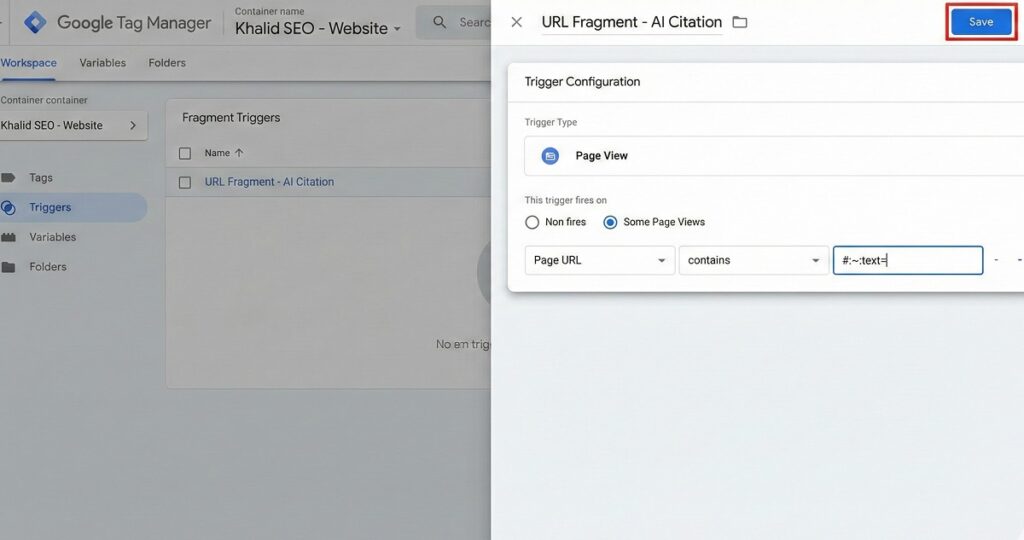
Google AIO links are unique. When a user clicks a citation in an AI Overview, Google often uses a Scroll-to-Text Fragment (#:~:text=).
This highlights the specific answer on your page. Standard analytics ignores everything after the hash (#), but we can use Google Tag Manager (GTM) to catch it.
Step 1: The Logic
We need to tell GTM: “If the URL contains #:~:text=, fire a specific event called ‘AI_Citation_Click’.”
Step 2: The Implementation
- Open GTM and go to Variables.
- Enable the “URL” built-in variable.
- Create a New Trigger:
- Type: Page View.
- Fire On: Some Page Views.
- Condition:
Page URL>contains>#:~:text=
- Create a Tag:
- Type: GA4 Event.
- Event Name:
ai_overview_click. - Trigger: The trigger you just created.
Once published, you will see ai_overview_click events in your GA4 Realtime reports. This is definitive proof that a user arrived via a specific highlighted snippet, which is the primary behavior of AI-driven search results.
How to Segment Chatbot Traffic in GA4 (ChatGPT, Claude, Perplexity)
Not all AI traffic comes from Google. Users are increasingly treating ChatGPT and Perplexity as search engines.
By default, this traffic is messy. Perplexity often shows as “Referral,” while ChatGPT app traffic can look like “Direct.” You need to clean this up using Regular Expressions (Regex).
The “Master Regex” Filter
You can isolate this traffic by creating a Custom Channel Group in GA4.
- Go to Admin > Data Settings > Channel Groups.
- Click “Create New Channel Group”.
- Name it “AI Search Engines”.
- Set the condition: Source matches Regex.
- Paste this code:
Code snippet
.*(chatgpt|openai|perplexity|claude|gemini|bard|bing|copilot|sge).*
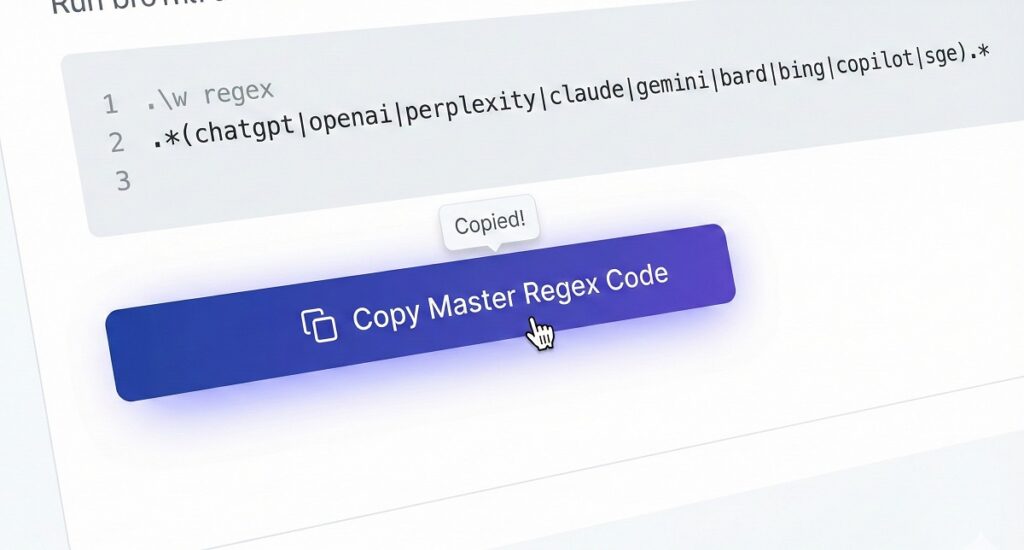
This filter captures traffic from the major LLMs. Suddenly, what looked like “junk” referral traffic is now attributable to your brand authority.
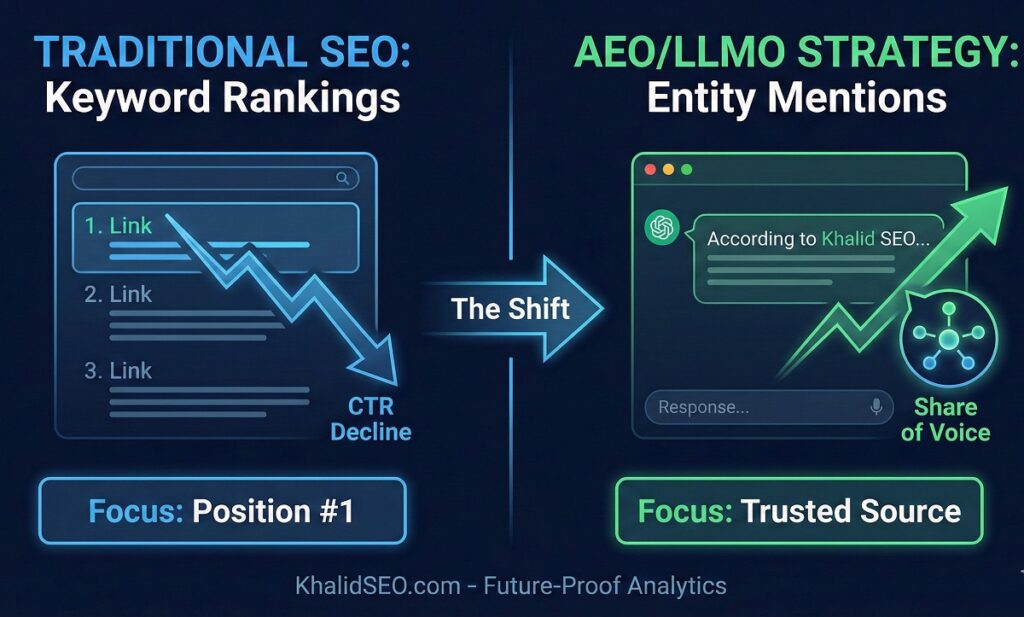
From Rankings to “Share of Voice”
Tracking clicks is a defensive strategy. The offensive strategy is Entity Dominance.
In the era of LLMO (Large Language Model Optimization), “Rankings” matter less than “Mentions.” If ChatGPT cites you, you win even if there is no click.
Here is how the metrics are shifting:
| Feature | Traditional SEO | AEO / LLMO Strategy |
| Primary Goal | Rank #1 for a Keyword | Be the “Trusted Entity” in the Knowledge Graph |
| Success Metric | Click-Through Rate (CTR) | Share of Voice & Citation Frequency |
| Content Focus | Long-form “Ultimate Guides” | Structured Data & Direct Answers |
| Traffic Source | Organic Search | Hybrid (Search + Chatbot Referral) |
Future-Proofing with Khalid SEO
Tracking is just the diagnosis. Entity Optimization is the cure.
To win in 2026 and beyond, you cannot rely on keyword stuffing. You must build a Topical Authority Map that forces Google and LLMs to recognize your brand as the subject matter expert.
At khalidseo.com, we specialize in:
- Schema Markup Architecture: Speaking the language of machines.
- Entity Gap Analysis: Finding the missing connections in your knowledge graph.
- LLMO Strategies: Ensuring your brand is the recommended answer on ChatGPT and Gemini.
We don’t just chase algorithms; we anticipate them.
FAQ: Common Questions on AI Tracking
Can I track Google AI Overview traffic in GA4?
Not directly, but you can infer it.
Google does not yet provide a specific “Source” for AIO. However, by tracking URL Fragment clicks (using GTM to fire events on #:~:text= parameters) and correlating high-impression/low-CTR data in Search Console, you can isolate this traffic segment with high accuracy.
How do I see traffic from ChatGPT in Google Analytics?
You must create a Custom Channel Group.
Standard GA4 reports often misclassify ChatGPT as “Direct.” You need to create a new channel defined by the Regex chatgpt|openai to properly separate these sessions from your general organic or referral data.
Why are my GSC impressions up but clicks are down?
This is the primary signal of Zero-Click AI results.
When an AI Overview answers a query directly on the search page, your site registers an impression (because you were cited) but receives no click. This “inflation-deflation” divergence is the hallmark of AEO visibility.
Is Perplexity.ai traffic organic or referral?
It is technically Referral traffic.
Unlike Google, Perplexity sends users to your site via citations. In GA4, this appears as perplexity.ai / referral. You should recategorize this into a specific “Answer Engine” channel to prevent it from skewing your traditional referral metrics.
Ready to Decode Your Data?
Stop guessing where your traffic went. Start building the authority that brings it back.
Let’s audit your AI visibility: https://khalidseo.com/