
The “Invisible Impression” is no longer a mystery. For the first time, a major search engine is telling you exactly which sentences the robots are reading.
If you are a Head of SEO or Content Director, you have likely spent the last year wrestling with a ghost: “Zero-Click” searches. Users ask an AI, get an answer, and never visit your site. Until now, this was a black hole in your analytics. You knew your data was training the models, but you couldn’t prove it.
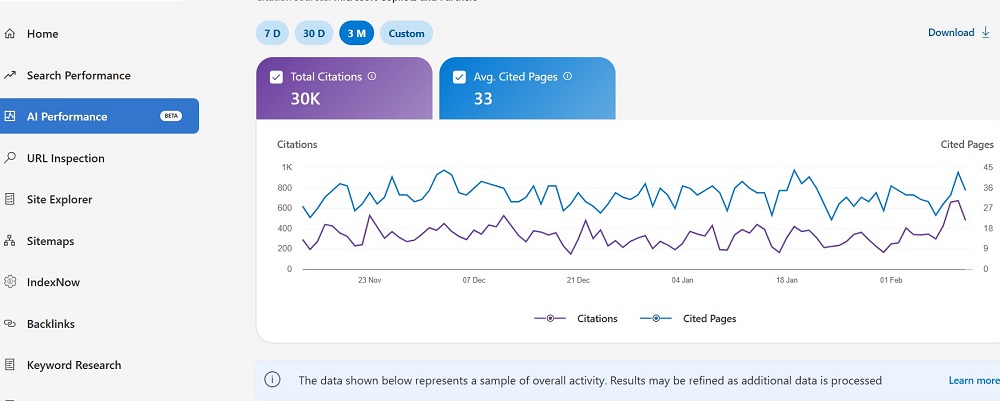
Bing’s new AI Performance Report in Bing Webmaster Tools (BWT) changes the physics of SEO reporting. It moves us from “Ranking” to “Citation” establishing your brand not just as a search result, but as a trusted Data Provider for the AI ecosystem.
Here is how to reverse-engineer this new data for Generative Engine Optimization (GEO).
Beyond Blue Links: Why This Report Changes SEO History
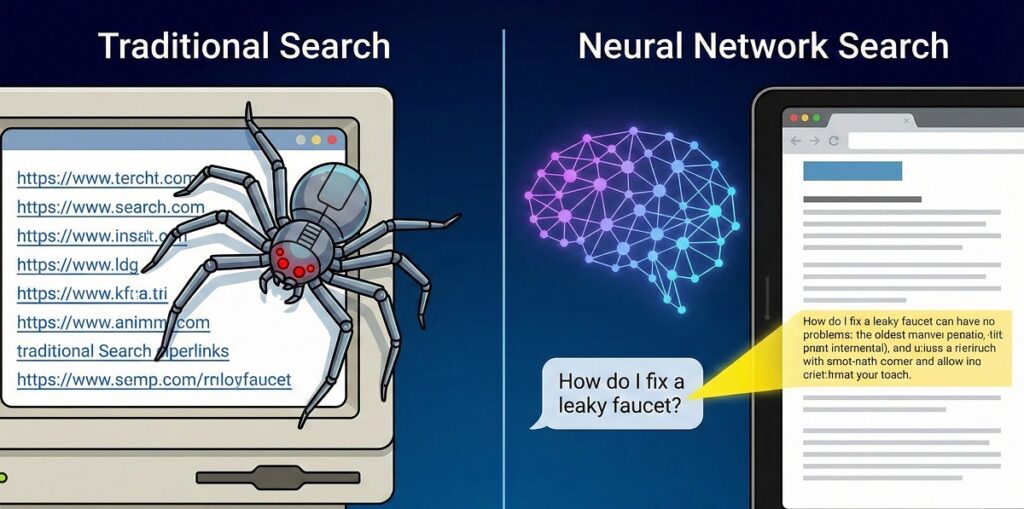
For two decades, SEO success was binary: you ranked, or you didn’t. The new AI paradigm introduces a third state: Grounding.
“Grounding” is the process where an AI model (like Microsoft Copilot) validates its creative output against a trusted, live data source to prevent hallucinations. If your content is used for grounding, you aren’t just a link; you are the truth that anchors the answer.
This report is the first feedback loop for this behavior. It validates whether your content is structured well enough to be “machine-readable.” If you are winning Citations in Bing, you are likely part of the “trusted seed set” for other Large Language Models (LLMs) like GPT-4, even if they don’t provide reports yet.
Decoding the 4 New Core Metrics
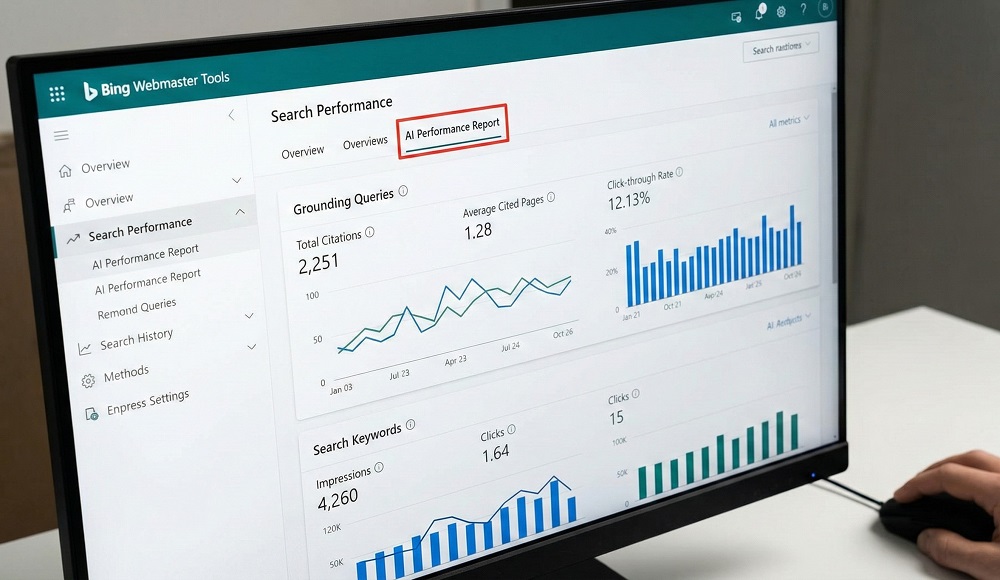
The BWT dashboard introduces metrics that sound familiar but function differently from their classic counterparts.
1. Total Citations vs. Impressions
An Impression is passive; it means your link appeared on a screen. A Citation is active. It means the AI processed your content, found it factually relevant, synthesized it, and presented it to the user.
- The Shift: Stop optimizing for eyeballs; optimize for utility. A citation is a “vote of confidence” from the model.
2. The “Average Cited Pages” KPI
This metric reveals your Topical Authority. If you have 1,000 citations but they all come from a single homepage, you are a “one-hit wonder.” High “Average Cited Pages” means the AI trusts your entire cluster of content, not just your brand name.
3. Page-Level Citation Activity
This allows you to identify your “Power Pages.” These are often deep, technical articles or data tables content that humans might find “boring” but AI finds “nutritious.”
“Grounding Queries” vs. Search Keywords: The Critical Difference
This is the most misunderstood concept in the new report.
A Search Keyword is what the human types (e.g., “best crm for small business”).
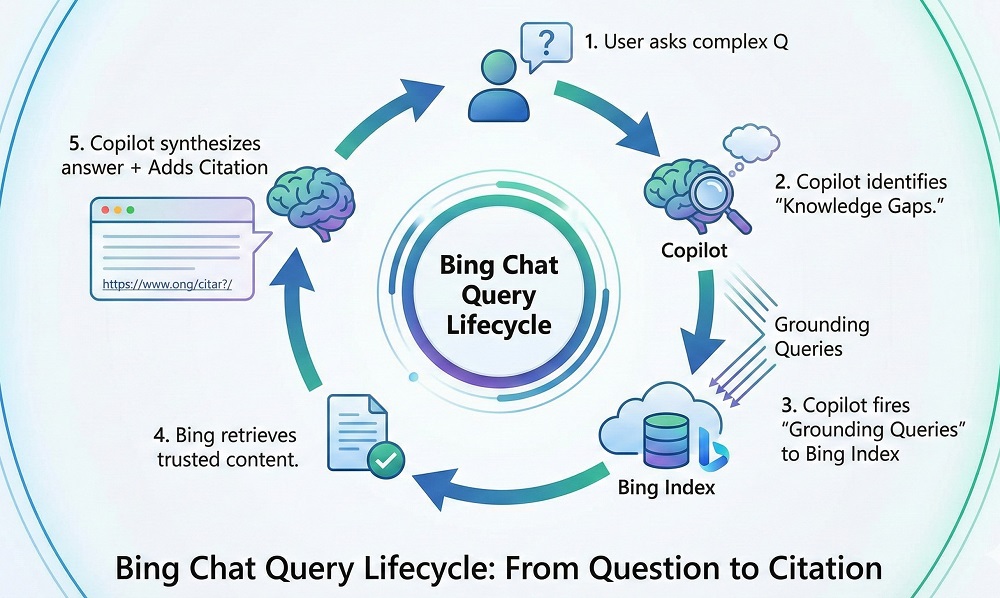
A Grounding Query is what the AI searches for internally (e.g., “Salesforce vs HubSpot pricing table 2025″).
When a user asks a vague question, the AI breaks it down into specific factual sub-queries. It then “Googles” (or “Bings“) those sub-queries to find facts.
Strategy: You must optimize for the Grounding Query, not just the user prompt.
- User Prompt: “Write me a comparison of X and Y.”
- Grounding Query: “X vs Y technical specs diff.”
- Your Job: Ensure your page has a clear
<table>comparison that directly answers the technical spec query.
Bing AI Report vs. Google Search Console: A Transparency Wars Analysis
Google has integrated AI Overviews (AIO) into its general results but has stubbornly refused to separate the data. Microsoft has taken the opposite approach.
| Feature | Bing Webmaster Tools (AI Report) | Google Search Console (Performance) |
| Data Granularity | Separated. Distinct tab for AI Citations vs. Search. | Blended. AI data is hidden inside general “Search Results.” |
| Metric Focus | Grounding. Shows exactly what the AI looked for. | Clicks. Focuses on traffic, ignoring “zero-click” influence. |
| Click Data | No. Shows visibility/citations only (currently). | Yes. Shows clicks, but you can’t tell if they came from AI. |
| Strategic Value | High. precise feedback on “machine readability.” | Low. Guesswork required to attribute performance to AI. |
The Verdict: Bing is your “Sandbox.” Use BWT to test which content formats generate citations. Once you crack the code here, apply those same formats to win Google’s AI Overviews, even if you can’t measure them as clearly.
Actionable GEO Strategies: How to Get Cited More Often
To increase your Citation Authority, you must reduce the “friction” for the AI crawler.
1. Implement IndexNow
Speed is authority. If your price changes, the AI needs to know now.
- The Tactic: Configure IndexNow (supported by Bing and Yandex) to instantly ping the search engine when content updates. AI models prioritize the freshest verified data to avoid serving outdated “hallucinations.”
2. Format for “Machine Readability”
LLMs love structure. They struggle with walls of text.
- The Tactic: Rewrite your key definitions using HTML Lists and Tables.
- Bad: A long paragraph comparing two products.
- Good: A comparison table with clear headers (
<th>).
3. The “Definition First” Rule
AI models often scan the first 50 words of a section to determine relevance.
- The Tactic: Start every H2 section with a Direct Answer.
- Format: [Concept] is [Definition] because [Reason].
- Example: “Grounding is the process of linking AI generation to verified web data…”
FAQs
What is the difference between a Citation and an Impression in Bing Webmaster Tools?
A Citation indicates the AI used your content to build an answer.
An Impression just means your link appeared on a search page. Citations measure informational utility and prove your content was “read” and “synthesized” by the model, whereas impressions only measure ranking visibility.
How do I optimize my content for Microsoft Copilot grounding queries?
Use distinct headers, direct answers, and HTML tables.
To capture grounding queries, place concise summaries (40-60 words) immediately after H2s. Clearly define entities (nouns) and use IndexNow to ensure the AI has your freshest data.
What are “Grounding Queries” in the Bing AI Performance Report?
They are internal search phrases the AI uses to fact-check itself.
Unlike the user’s conversational prompt, grounding queries are precise, fact-seeking keywords (e.g., “iPhone 15 battery life mAh”) generated by the AI to retrieve specific data points from your website.
Does Bing’s AI Performance Report show click data?
No, it currently focuses on visibility and citations.
The report tracks Total Citations, Average Cited Pages, and Visibility Trends. While it doesn’t show direct clicks, high citation volume is a leading indicator of brand authority within the AI ecosystem.
How can I access the Bing AI Performance Report?
Log in to Bing Webmaster Tools and verify your site.
Once verified, navigate to the “Search Performance” or dedicated “AI Performance” tab in the left-hand sidebar. Note that this feature may still be rolling out to specific regions or users.