


SEO can feel like a mountain of technical tasks. You stare at keyword lists and server errors, wondering how you will ever find the time to fix it all.
You know organic traffic is crucial for your business. But hiring an agency is expensive. Figuring it out alone takes hours away from actually running your business. You might feel left behind.
Here is the good news. Practical AI SEO solves this problem. You can use simple AI tools to handle the heavy lifting. You do not need to be a developer to see results.
watch the youtube video here ⬇

What is AI SEO? (And Why You Don’t Need to Be a Coder)
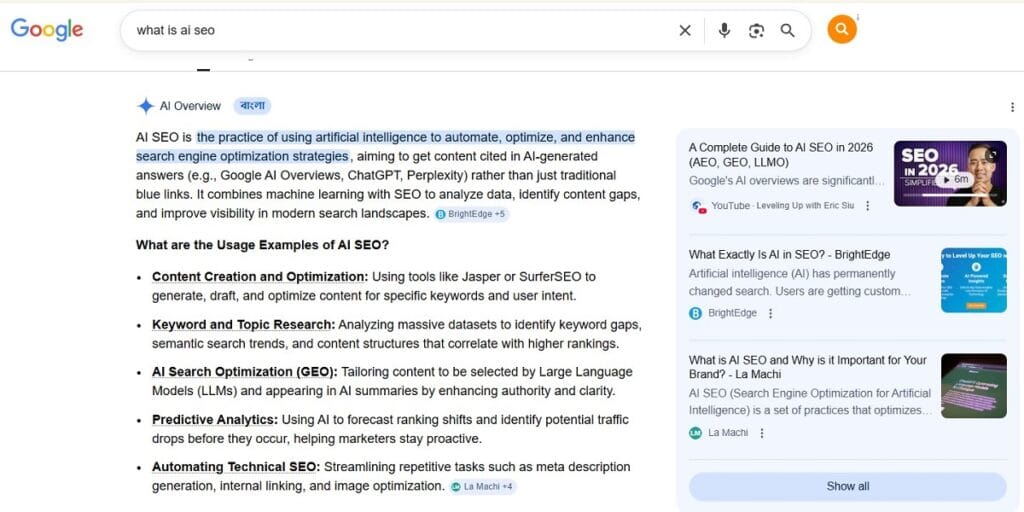
AI SEO is simply using artificial intelligence to speed up your marketing tasks. It removes the friction from non technical SEO work. You do not need to write code to benefit from it.
Tools like ChatGPT and Claude understand plain English. You just give them instructions. They help you build content, decode errors, and organize your Knowledge Graph data.
The new Search Generative Experience (SGE) relies heavily on clear answers. AI helps you structure your site to meet those new standards easily.

7 Practical Ways to Use AI in SEO
Before we look closely at the steps, here is exactly what we will cover:
- Brainstorm keyword ideas and topic clusters.
- Generate SEO title tags and meta descriptions.
- Build highly structured content outlines.
- Group your keywords by search intent.
- Update old content for quick ranking wins.
- Simplify technical error messages.
- Draft FAQ sections to capture voice search.
1. Brainstorming Keyword Ideas and Topic Clusters
Staring at a blank screen is frustrating. Automated keyword research fixes this. You can ask an AI to map out your topic.
Tell the AI your main subject. Ask it to list 20 related long tail keywords. It will instantly highlight areas your audience cares about. This helps you build a solid strategy based on search intent.
2. Generating SEO Title Tags and Meta Descriptions at Scale
Writing meta tags for 50 blog posts is boring work. Let a Large Language Model (LLM) do it for you.
Feed the AI your article summary and primary keyword. Ask it for five different title options. Ask for five meta descriptions under 160 characters. Pick the best one and move on.
3. Building Content Outlines That Beat Your Competitors
A great article starts with a solid structure. AI can analyze what is already working online. It helps you find the content gap.
Give the AI your target keyword. Ask it to build an outline that covers the topic completely. A structured outline improves user experience and keeps readers on your page longer.
4. Grouping Your Keywords by Search Intent
You have a list of 200 keywords. Sorting them takes hours. Semantic Search requires you to know exactly what the user wants.
Paste your list into an AI prompt. Ask it to categorize the list by intent. It will group them into informational, commercial, or transactional buckets. Proper prompt engineering saves you hours of spreadsheet formatting.
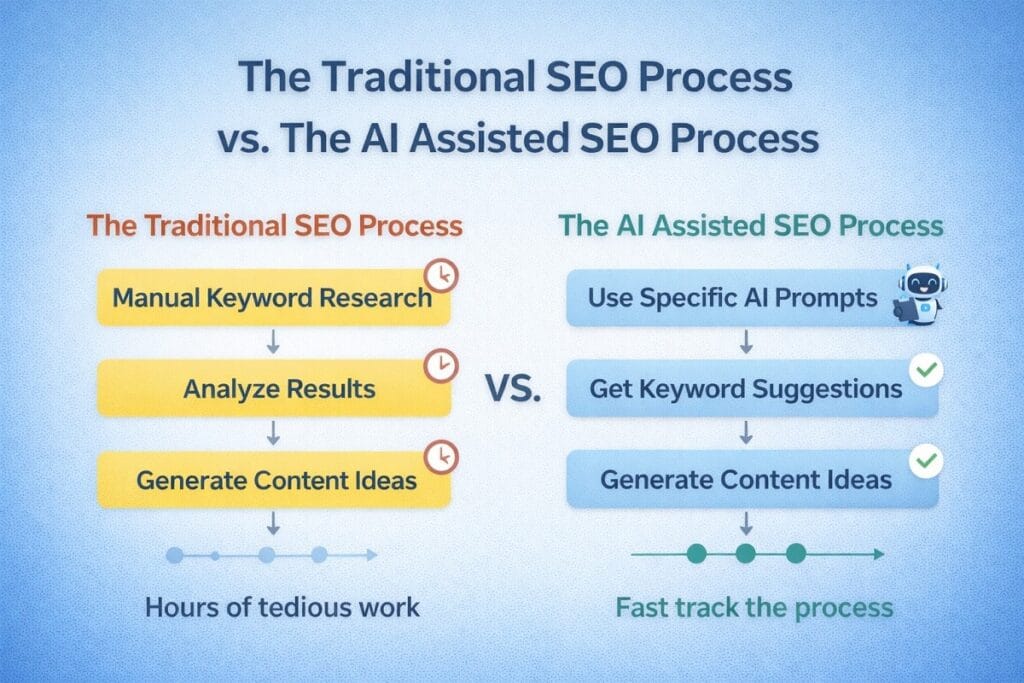
| Traditional Keyword Sorting | AI Keyword Sorting |
| Manual spreadsheet review | Automated AI processing |
| Takes hours of tedious work | Takes seconds to complete |
| Prone to human fatigue and error | Highly consistent categorization |
5. Updating Old Content for Quick Ranking Wins
Old blog posts often lose traffic over time. AI content optimization can bring them back to life.
Paste your old article into an AI tool. Ask it what modern ranking factors or topics are missing. Use those suggestions to rewrite and expand the piece.
6. Simplifying Scary Technical Error Messages
Google Search Console errors look like a foreign language. You do not need to panic. AI acts as your technical translator.
Copy the exact error message. Paste it into Claude or Google Search. Ask it to explain the problem in plain English and provide the steps to fix it.
7. Drafting FAQ Sections to Capture Voice Search
Voice search is growing rapidly. People ask full questions. Your content needs to provide direct answers.
Ask your AI to list the top questions related to your keyword. Use OpenAI models to draft short, factual answers. This satisfies recent algorithm updates that favor direct answers.

The Golden Rule of AI Content: Keep It Human
Google Search rewards helpful, original content. It does not reward mass produced spam.
Treat ChatGPT as a fast assistant, not a final writer. Always edit the output. Add your personal stories, real data, and unique opinions to stand out.
Getting Started: Your Next Steps
You have the tactics. Now you just need to practice your prompt engineering.
Pick one task from the list above. Try it today. Practical AI SEO is about taking small steps to regain your time.
The Real Numbers
86% Adoption Rate: Over 86% of SEO professionals have already added AI to their daily routine to save time.
80% Faster Research: Using simple AI tools can reduce the time you spend doing manual keyword research by up to 80%.
A Wise Word
“Use AI as a supportive tool, but make sure your content is original, informative, and valuable to your audience.” – Scott Gabdullin
This means that instead of worrying about the hard parts, we should focus on the simple truth: Don’t let a robot write your entire website. Use it as a helpful assistant to organize your thoughts and speed up your workflow, but let your unique perspective be the reason people actually stay on your page.
Key Information at a Glance
| Feature | Why it Matters | How it Helps You |
| Finding Keywords | AI groups related topics instantly. | You stop guessing what your audience wants to read and give them exactly what they are searching for. |
| Writing Meta Tags | AI can summarize whole pages in seconds. | You save hours of typing out short summaries for every single blog post you publish. |
Simple Tips You Can Use Today
- Start Small: Don’t try to do everything at once. Pick one easy part and master it.
- Ask Why: If something doesn’t make sense, look at the goal. The goal is usually simple.
- Keep Track: Write down what you learn. It helps your brain remember the “why” behind the “how.”
A Surprising Fact
Did you know that over 93% of the links cited in Google’s AI Overviews come from pages that are not even in the top 10 organic search results? Most people think the opposite is true, but experts have found that this little secret is actually the key to success! As long as your content directly and clearly answers a specific question, the AI can still find your site and send traffic your way, regardless of your traditional ranking.
Frequently Asked Questions
Can I use AI for SEO without knowing how to code?
Yes, you can use AI for SEO without any coding skills. You just need to know how to write clear instructions and prompts to improve your website rankings.
AI tools are designed to understand natural language. If you can write an email, you can use these tools to brainstorm topics, format meta tags, and simplify technical errors.
Will Google penalize AI generated content?
Google does not penalize AI content as long as it is high quality and helpful. The search engine prioritizes the actual value of the content over how it was created.
However, if you publish unedited AI text that offers no real insight, your rankings will suffer. Focus on accuracy, add your own expertise, and always fulfill the user’s search intent.
What are the best AI tools for beginner SEO?
The best AI tools for beginner SEO include ChatGPT for drafting and brainstorming, and Claude for analyzing long documents or reports.
These platforms offer incredibly simple interfaces. You type in a box and get an answer. You do not need advanced technical knowledge or expensive software subscriptions to get started.
How do I use AI to find SEO keywords?
To find SEO keywords, prompt your AI tool to act as an SEO expert. Ask it to list long tail keywords for your niche and group them by search intent.
This gives you a structured list of topics. It helps you identify content gaps that your competitors might be missing, allowing you to target very specific audience questions.
Can AI write my meta descriptions?
Absolutely. Provide an AI tool with your page title, main keyword, and article summary, then ask it to write five different meta descriptions under 160 characters.
This is a massive time saver. It gives you multiple optimized options to choose from instantly. You just pick the best one and paste it into your website.


Hi, I am Khalid. I am an SEO and AI Search Specialist.
My goal is simple: I help your business get found by the right people.
For a long time, getting found just meant showing up on the first page of regular Google search. Today, the internet is changing. People are asking their questions to AI tools like ChatGPT and Google’s new AI features.
My job is to connect the old way of searching with the new way. When a potential customer asks an AI a question about what you do, I make sure your business is the trusted answer they get.
I do not use confusing words or secret tricks. I use clear and honest plans to get you noticed and bring real buyers straight to your website.
Want to see how I can make your brand the top answer? Connect with me on social media or read my exact steps at khalidseo.com.